Friday, 14 November 2014


Tuesday, 11 November 2014
Performance Booster Donate (root) by Gejos Enterprise v4.5.1

Performance Booster will change the kernel process for managing all layers such Android Runtime in Core Libraries and Dalvik VM layers, User Libraries layer, Application Framework layer, and Applications layer.
THIS APPLICATION IS FOR ROOTED DEVICE ONLY. Find out what a ROOTED device is, see at the bottom of this description.
If your device is UNROOT, please do not review with negative comment. This application cannot run on unroot devices. It won’t work on unroot device. Thank you for your fairness and kindness.
Performance Booster needs root permissions. You need to allow the SuperUser privileges to run this application. Without the SuperUser privileges, this application cannot activate the performance process in kernel. Performance Booster (root) is not a placebo, nor a prank, nor a fake application.
DISCLAIMER: It is made available for use at your own risk with no warranty of any kind. The default of this application is not active and by activate this application, means that you have agreed with the contents of the disclaimer.
Unlike other simillar applications do, this application will not change the lowmemorykiller setting, will not clean up RAM, will not speed up processor/OC, etc. but this application will manage the kernel process for all layers, so you will get the fastest for any processes (anything) in your ROM.
You will not find any different score in benchmarking, but you will find how fast your ROM ever, when you use!
Quote:
“Benchmarks are used almost everywhere as a standard by which something can be measured or judged by. But when does it really matter and should you even care?”
[ for me, the "real benchmark" is what you feel and what you get, while you use your device (in the same device of course). ---first of words "for me" mean personal opinion and may be different with you and others. ]“Benchmarks are used almost everywhere as a standard by which something can be measured or judged by. But when does it really matter and should you even care?”
(Performance Booster with Double Booster feature only available in Pro Edition and donate version. Performance Booster with new Triple Booster feature only available in Pro Edition).
If you love this application, please consider the donate version. Please search: Gejos Enterprise to find the donate version. Your donation will help to support my work. Thank you very much.
This application is FREE and will always be FREE (works fine without donate version installed).
Performance Booster 100% ads free. Please rate and review wisely, and please read this description first before rate and review. Thank you.
Use back button to save and execute new setting (not the home button).
All my apps have “unique” method to unload and reload service. It will automatic kill itself to save RAM and will reactivethe service when need it. Don’t worry, this app still active even you cannot find it in the system as running.
This application is not a placebo, nor a prank, nor a fake.
What’s New:
– Added latest Android 5.0 Lollipop.
– Fixing ANR & Force Close on some devices.
– Fixing option setting “sticky delay” on some devices.
– Fixing ART issues on some devices.
– Added latest Android 5.0 Lollipop.
– Fixing ANR & Force Close on some devices.
– Fixing option setting “sticky delay” on some devices.
– Fixing ART issues on some devices.
DOwnload:-just1clicktogo
Monday, 10 November 2014
Gameloft Modern Combat 3: Fallen Natio n v1.1.4g
Modern Combat 3: Fallen Nation is a 2011 first-person shooter developed and published by Gameloft Montreal for iOS, Android, Bada 2.0 and BlackBerry PlayBook devices. It is the third game in the Modern Combat series, and is a sequel to 2009’s Modern Combat: Sandstorm and 2010’s Modern Combat 2: Black Pegasus. The fourth part of the series, Modern Combat 4: Zero Hour, was released in 2012, and the fifth, Modern Combat 5: Blackout, in 2014.
This game requires 1.37 GB of free storage space.
The best smartphone FPS series returns with even higher intensity and apocalyptic battles.
PocketGamer: “A stellar combination of graphics, entertaining action, and robust multiplayer.”
The best, most realistic smartphone FPS series returns with even higher intensity and an apocalyptic battle for thefreedom of the United States, for one or more players.
BE THE HERO OF AN EXPLOSIVE SOLO CAMPAIGN
* Fight through a 13-mission campaign from Los Angeles to Pakistan.
* Witness multiple memorable moments thanks to AAA scenario-scripting.
* Experience different types of gameplay: escort, destroy, helicopter, 4×4 chase, etc.
* Fight through a 13-mission campaign from Los Angeles to Pakistan.
* Witness multiple memorable moments thanks to AAA scenario-scripting.
* Experience different types of gameplay: escort, destroy, helicopter, 4×4 chase, etc.
LIVE THE MOST IMMERSIVE REAL WAR EXPERIENCE
* The deepest and most intuitive FPS gameplay on smartphones improved once again, now with a sprint and slide feature.
* Gaze upon next-gen GFX that allow for an unprecedented rendering of environments.
* Improved SFX and voice acting will immerse you in an apocalyptic scenario.
* The deepest and most intuitive FPS gameplay on smartphones improved once again, now with a sprint and slide feature.
* Gaze upon next-gen GFX that allow for an unprecedented rendering of environments.
* Improved SFX and voice acting will immerse you in an apocalyptic scenario.
ENJOY WHAT IS SIMPLY THE BEST MULTIPLAYER ON SMARTPHONES
* Enter battles for up to 12 players in 6 exclusive maps and 7 different modes.
* Use your customized weapons to move up an addictive leaderboard with more than just ranks.
* Enter battles for up to 12 players in 6 exclusive maps and 7 different modes.
* Use your customized weapons to move up an addictive leaderboard with more than just ranks.
Certain apps allow you to purchase virtual items within the app and may contain third party advertisements that may redirect you to a third party site.
Instructions:
1. Copy ‘com.gameloft.android.ANMP.GloftM3HM’ folder to ‘/sdcard/Android/obb’ (If you have installed previous version no need to download main obb)
2. Extract patch.1130 obb to ‘sdcard/Android/obb/com.gameloft.android.ANMP.GloftM3HM’ folder
3. Launch the Game (run online@ 1st run)
1. Copy ‘com.gameloft.android.ANMP.GloftM3HM’ folder to ‘/sdcard/Android/obb’ (If you have installed previous version no need to download main obb)
2. Extract patch.1130 obb to ‘sdcard/Android/obb/com.gameloft.android.ANMP.GloftM3HM’ folder
3. Launch the Game (run online@ 1st run)
data:-download in 1 click
app:-Download in 1 click

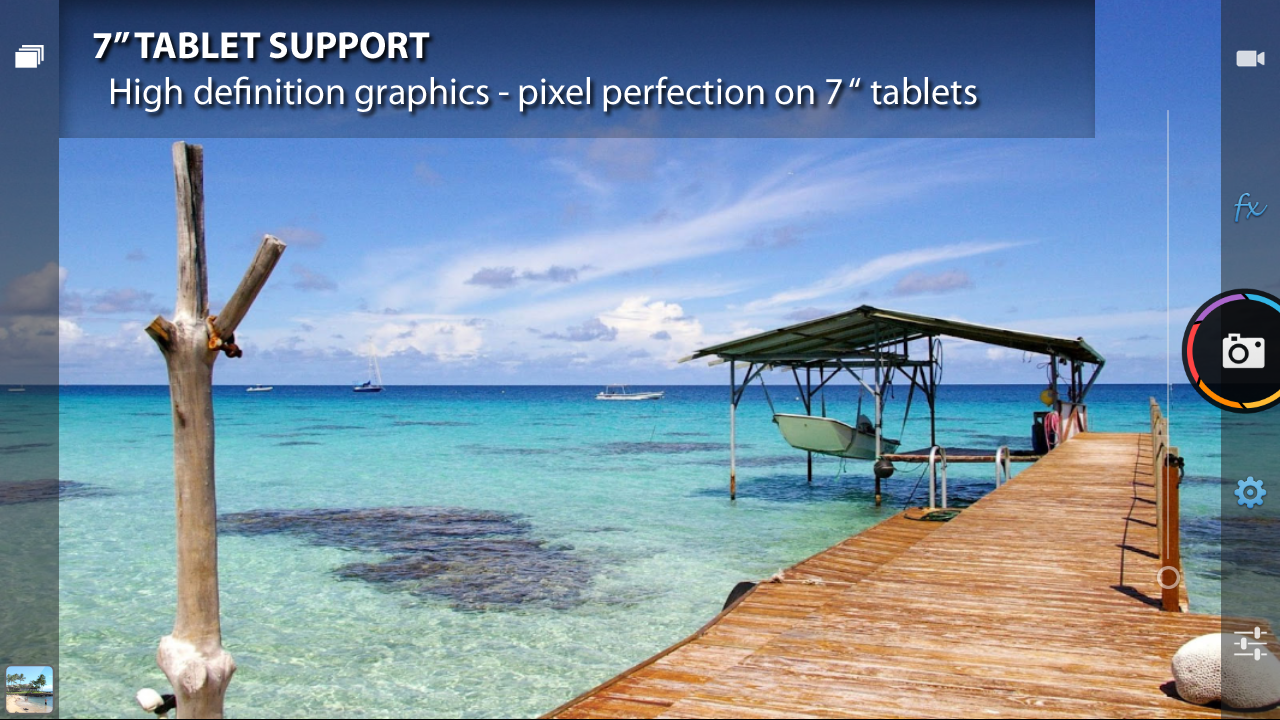
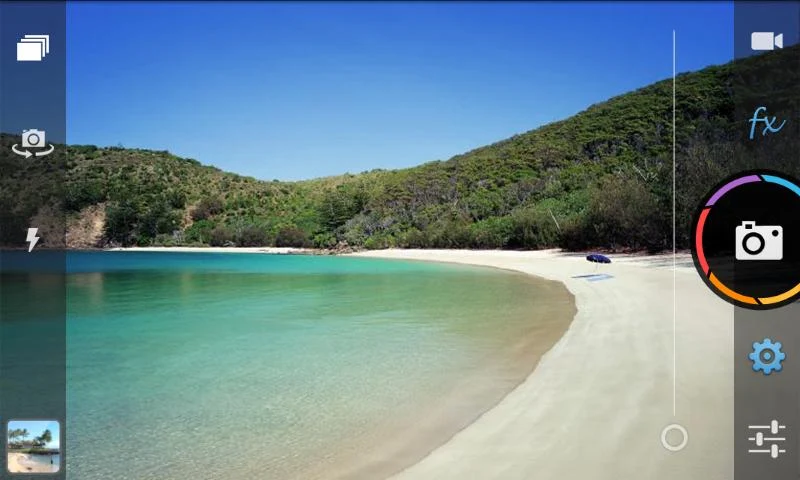
POWERFUL CAMERA:
- Optical / digital zoom (up to 6x)
- Flash (if avail)
- Front facing camera (if avail)
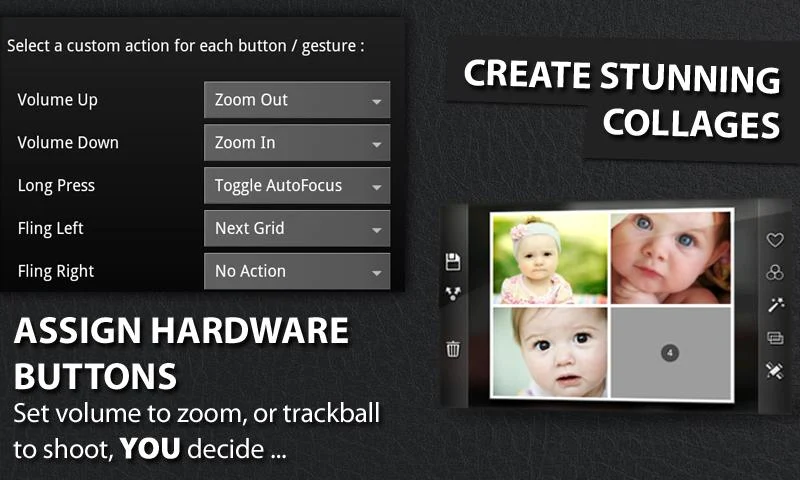
- Customization of ALL hardware buttons
- Live previews of some effects, e.g. frames, buddies
- Silent camera (if device supports)
- Tweak hardware options: autofocus, whitebalance, nightshot…
- Send, share your shots
- 1-click upload photo to Facebook, Twitter, Flickr, etc. – ALL AT ONCE!
- Customizable grid overlays
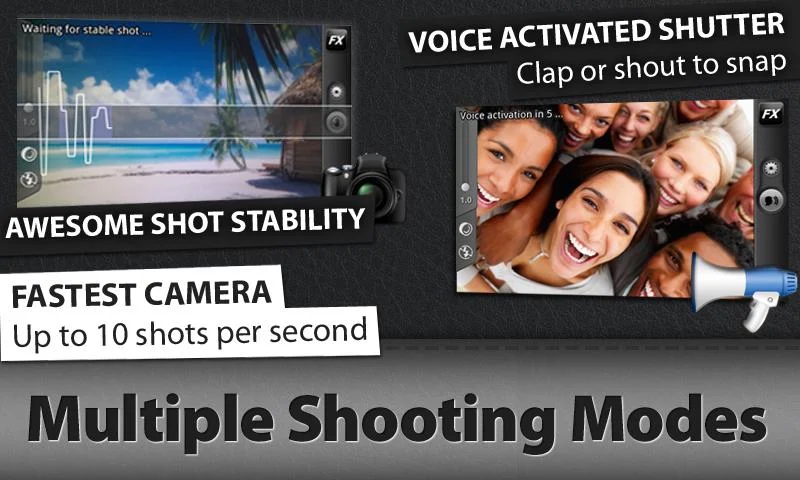
MULTIPLE SHOOTING MODES:
- Stable Shot: on-screen meter to show current level of movement
- Timer
- Voice Activated: take a picture by clapping, shouting…
- Burst Mode
- Collage
- Time Lapse
IMPORT YOUR EXISTING PHOTOS:
You can import existing photos from your phone’s gallery by clicking Menu->Import.
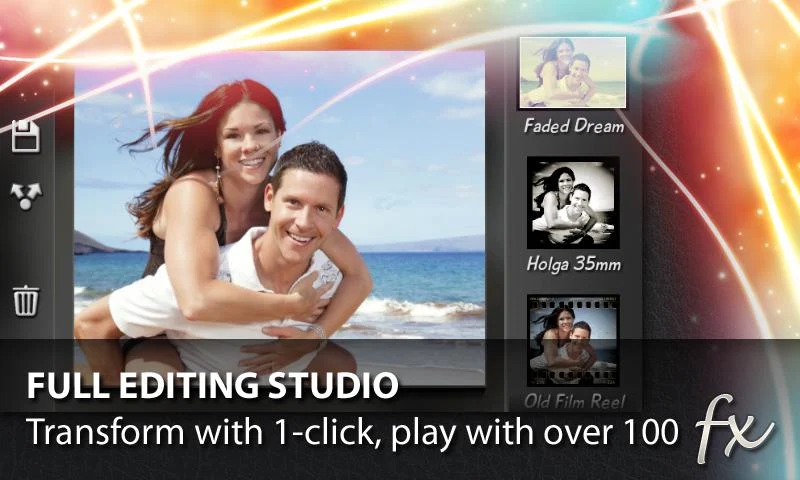
POST PROCESSING:
- Combine effects using non-destructive editing
- Process at full camera resolution (up to 8mp if avail)
- 10 ready made presets: Diana, Retro, Holga 35mm, Toy Camera…
- 20 Color FX: vintage, lomo, cinematic, funky, pencil…
- 13 Frames: thin, rounded, lens, polaroid, filmreel…
- 6 Vignette Surrounds: heavy, invert, spotlight…
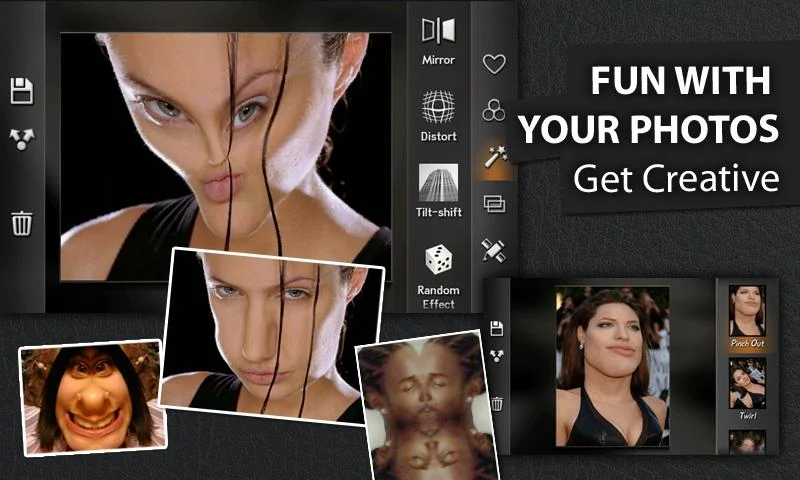
- 12 Distort FX: fisheye (like fxcamera), mosaic, twirl…
- 9 Mirror FX
- 3 Tilt-shift FX
- Crop to any size of your choice: 3×8, square, instant, 6×4…
- Digi composites (photoshop style overlays)
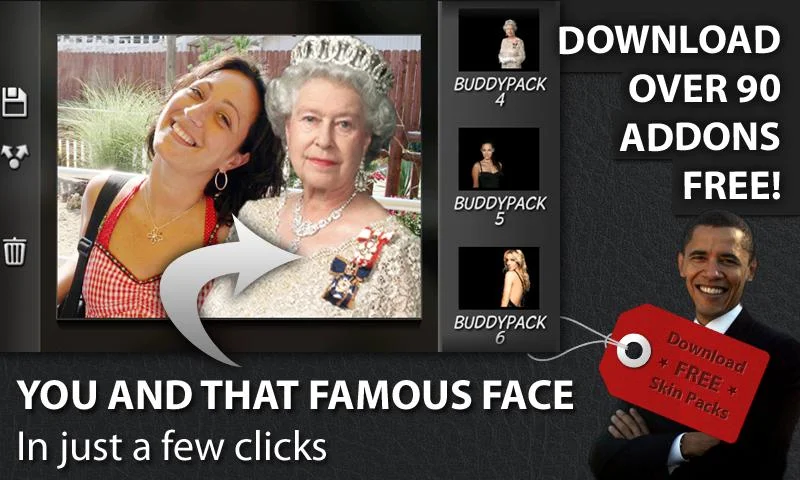
- Props and famous ‘buddies’ in your pictures (move and resize!)
- Create stunning collages: e.g. 2×2 passport style combination shots
- Random effects
OTHER FEATURES:
- Fullscreen shutter: click anywhere on screen to shoot!
- Animated shutter effect
- Support geotag / exif tags
- Select sdcard folder to save photos (incl external sd)
- Auto save shots
- Win $ 100 in Instagram style photo contest
- Pro scene modes, e.g. nightshot, beach (Droid only)
- View last shot in picture gallery
- Use as default camera
- Rotate / crop photos
- Widescreen lens / capture (if device supports)
- Support from Android 1.5 through to Android 4.0 (incl tablets)
What’s in this version: (Updated : Nov 10, 2014)
- Add missing 16:9 resolutions on some devices
- Support highest resolution for front camera
- Bug fix: sharing photos from other apps
- Bug fix: crash on exit video
- Bug fix: Gallery crash- Bug fix: Nexus 5 overexposure
- Auto-discover which folders are writable in Settings…Save
- Non-writable folders revert to default save location
- Option to join our new Camera ZOOM FX Community on Google+!
Screenshots :


GO Launcher 5 has arrived! Its UI and UX has been recreated from bottom to top. Enjoy simple and intelligent new mobile experience, or start customizing the looking and feel in your own way.
Tips for unable to install GO Launcher EX :
1. If it says insufficient storage
-Please make sure your build-in storage is enough
-You can uninstall some useless apps and install again
2. If it says error -24
This is a common error that occurs with the Play store sometimes, and the web bellow could do some help:
forum.xda-developers.com/showthread.php?t=2027663
‘); }());1. If it says insufficient storage
-Please make sure your build-in storage is enough
-You can uninstall some useless apps and install again
2. If it says error -24
This is a common error that occurs with the Play store sometimes, and the web bellow could do some help:
forum.xda-developers.com/showthread.php?t=2027663
GO Launcher EX – the final choice for 200,000,000+ people! User voted best Android Launcher! Download it now to enjoy 10,000+ themes and experience the super speedy and smooth operation provided by powerful 3D core! As the best home screen replacement, it offers you many first-ever features to customize your own homescreen experience. It is not only for people who taking Android for granted, but for those who take their Android for lifestyle and partner in life.
Sincerely invite you to join GO Launcher Alpha & Beta Program. Make Your Comment.
Want 10+ more advanced features (No Advertising, Gorgeous Transitions, Security Lock, etc.)?
Get Now
Sincerely invite you to join GO Launcher Alpha & Beta Program. Make Your Comment.
Want 10+ more advanced features (No Advertising, Gorgeous Transitions, Security Lock, etc.)?
Get Now
Testimonials:
“ GO Launcher EX took the top spot, bringing home over 37% of the overall vote. ” – Lifehacker (Releasing the result for the poll “What’s The Best Android Launcher”)
“If you adopt GO Launcher EX as your default homescreen, you will use it all the time.” – Androidtapp
“GO Launcher EX is perfect for people who are getting a bit tired of seeing the same old Android launch interface.” – CNET
“ GO Launcher EX took the top spot, bringing home over 37% of the overall vote. ” – Lifehacker (Releasing the result for the poll “What’s The Best Android Launcher”)
“If you adopt GO Launcher EX as your default homescreen, you will use it all the time.” – Androidtapp
“GO Launcher EX is perfect for people who are getting a bit tired of seeing the same old Android launch interface.” – CNET
Free Features:
– GO Panel to add frequently used features with just one click (New)
– More than 10,000 personalized themes (keep increasing)
– Super smooth flipping and transition effects provided by 3D core
– 25+ fancy transition effects
– 15+ widgets available for free (weather, clock, switch, calendar…)
– Launch apps using gestures
– GO Panel to add frequently used features with just one click (New)
– More than 10,000 personalized themes (keep increasing)
– Super smooth flipping and transition effects provided by 3D core
– 25+ fancy transition effects
– 15+ widgets available for free (weather, clock, switch, calendar…)
– Launch apps using gestures
Pro Features:
– Multi-touch to quick access to core functions
– 4 additional splendid transition effects
– No sponsored messages or Ads
– Multi-touch to quick access to core functions
– 4 additional splendid transition effects
– No sponsored messages or Ads
FAQ:
1. How to get more free themes, widgets and other resource for GO Launcher EX?
a. Search in Google Play. Or…
b. Get from built-in GO Store via menu.
2. How to set transition effects?
Menu-> Add -> Effect.
1. How to get more free themes, widgets and other resource for GO Launcher EX?
a. Search in Google Play. Or…
b. Get from built-in GO Store via menu.
2. How to set transition effects?
Menu-> Add -> Effect.
What’s New:
Please light up all to help us serve you better!
(Improve) Experience of Full Screen Folder
(Improve) Performance improvements and bug fixed
Please light up all to help us serve you better!
(Improve) Experience of Full Screen Folder
(Improve) Performance improvements and bug fixed
Zopper

- Sample templates included, no need to download anything else
- Some custom fonts already included, additional can be added on sdcard/fonts
- Create your templates easily, no functional limit
- Build your style and change everything, color, text, shapes, position and more
- Battery info (remaining time, percentage, temperature, voltage)
- World clock (multiple timezones on the same widget)
- Weather with two days forecast even for multiple locations on same widget
- Calendar info with free customization
- System info, like uptime, next alarm, sd card space
- Wifi network name, cell operator
- Sunrise and sunset even for multiple location at once
Pro Features:
- No Ads
- Widget on tap action (and "module" click action soon)
- Save your templates
BATTERY:
Zooper Widget has been built from ground up with battery in mind, nothing will be done while your phone sleeps, no weather will be updated if you have no weather information on screen, no location will be updated if you do not ask to.SIMILAR TOOLS:
- Advanced Clock Widget
- Beautiful Widgets
- SiMi Clock Widget
- TypoClock
- Clockr
- BattStatt
- Ultimate custom clock
- Make Your Clock Widget
What's in this version : (Updated : Nov 10, 2014)
- Translations updated
- Minor fixes
Required Android O/S : 3.2+
Subscribe to:
Posts (Atom)